Google is taking another big swing at laptops (again). And this time, it has its sights set purely on Android users.
Googlebooks aren’t just new Chromebooks and the new operating system is essentially Android built for the desktop, retaining the same look and feel as Android 17 but introducing a user interface designed for cursor and keyboard input on a larger screen.
But the Googlebook OS (the official name, though you won’t hear Google mention it much) is the first desktop operating system designed specifically to integrate Android phones, rather than merely working alongside them.
And it’s not just Pixel phones – every Android phone running Android 17 or later will be compatible with the full suite of features. Here are five that could fundamentally change the way you and I use our phones and laptops together.
1. Picking up the pieces
Yes, this is a copy of Apple’s ‘Handoff’. But why wouldn’t you include it when it’s so useful?
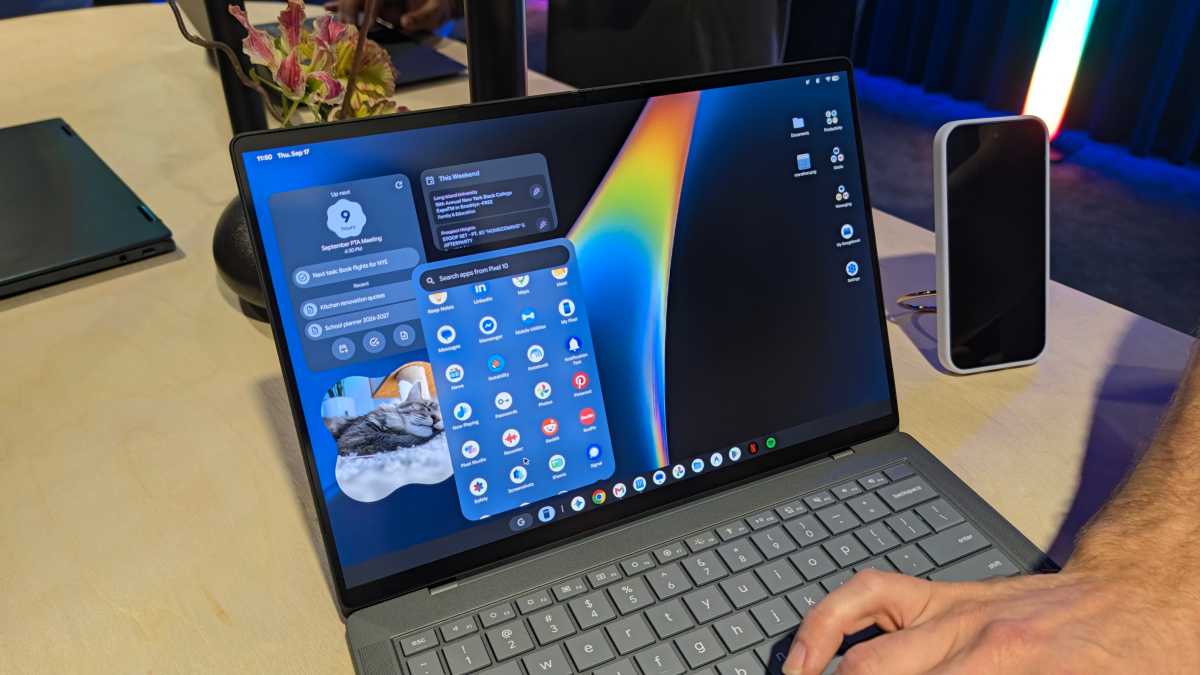
‘Continue On’ allows you to start doing something on your Android phone, then pick up exactly where you left off on a Googlebook. With every phone app instantly available on the desktop, it makes the process totally seamless.
Foundry
Google says it’s letting developers decide whether the Googlebook version of its app displays in a phone-esque window or becomes a more traditional desktop program. This flexibility is part of what makes Continue On so compelling.
2. Files goes the extra mile
It might be 2026, but I still email or WeTransfer files to myself all the time. There are easier ways to share between Android and Windows, but nothing feels second nature.
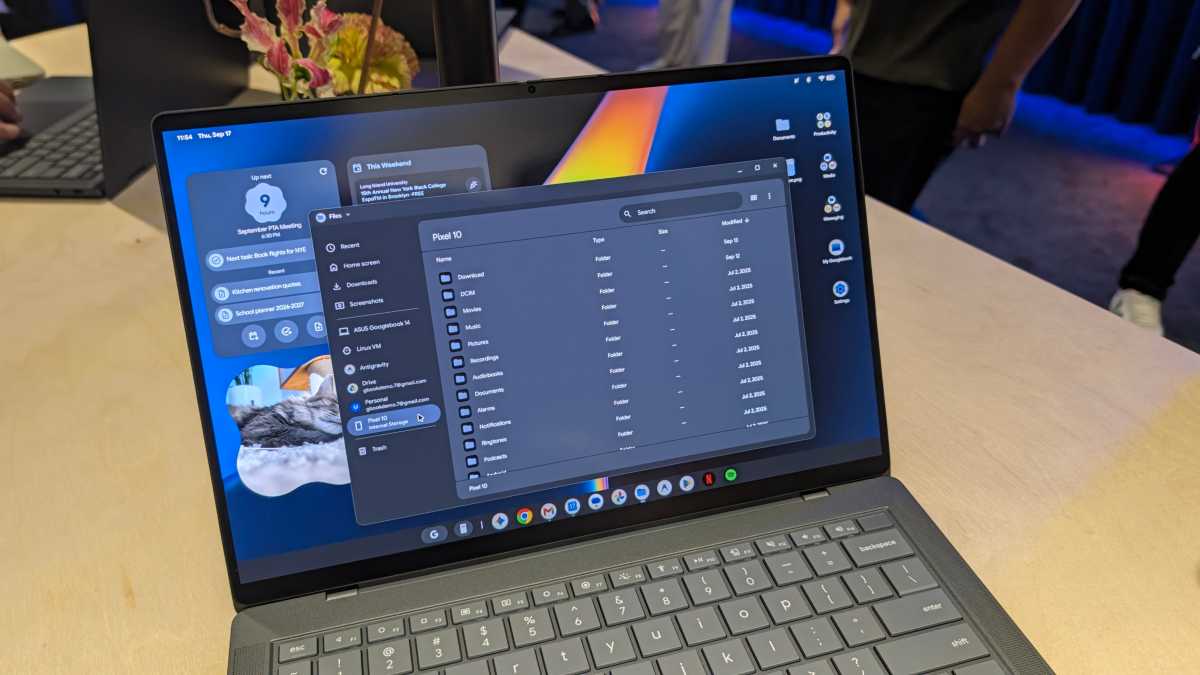
The revamped ‘Files’ app on Googlebooks should change that. By default, your phone and all its files sit directly within the sidebar – no need to connect a cable or fiddle around with a wireless connection.
Foundry
As soon as you’ve taken a photo or downloaded an email attachment on your phone, it’s instantly available on your Googlebook to use however you like. To adapt a classic compilation album series, now that’s what I call seamless.
To top things off, an AI-powered search tool will go beyond vague file names, analysing the contents to find anything that matches your query. On paper, it sounds like a massive upgrade.
3. Cast, but make it fast
Third-party software has made it possible to run Android apps on Windows PCs for years, but it’s always felt clunky and unintuitive.
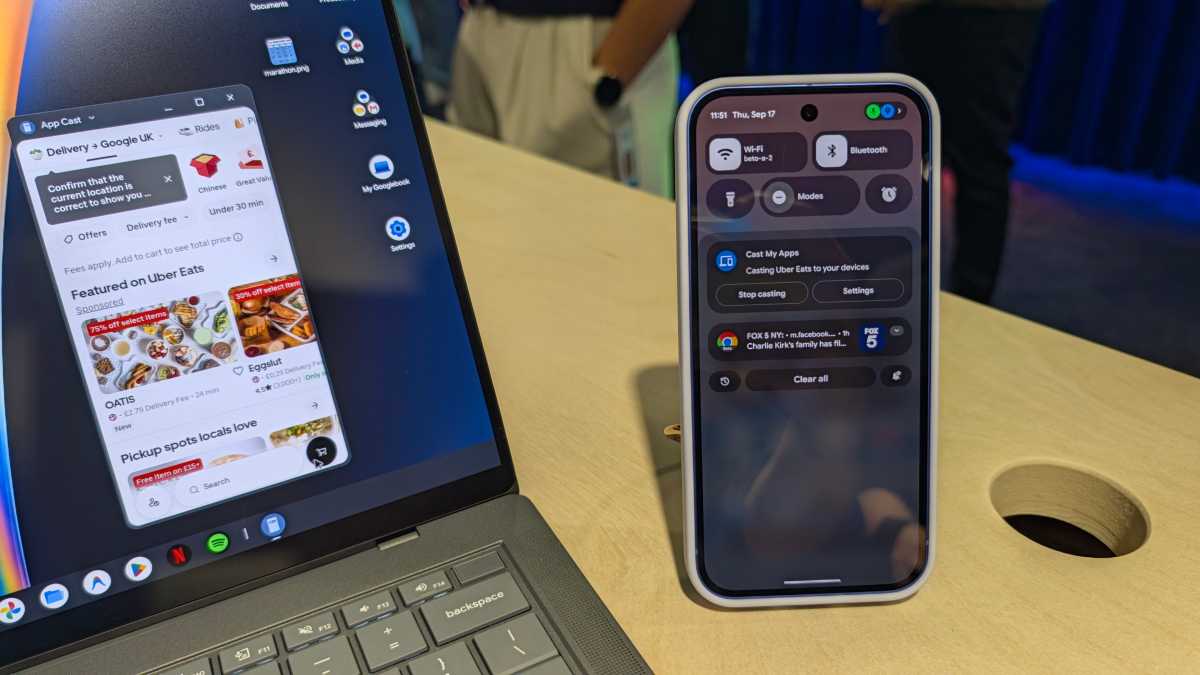
‘Cast My Apps’ on Googlebooks should change that. It gives you access to basically the full list of apps you have installed on your phone without ever having to touch it. The only exceptions are Phone, Camera and Settings, which Google says are excluded for security reasons.
Anyron Copeman / Foundry
In my hands-on time, it worked flawlessly. Google’s example of a one-time security code being delivered to the Messages app fixes one of my biggest pain points with two-factor authentication.
4. Shared notifications
The fracturing of notifications between an Android phone and Windows laptop is very frustrating. Sure, Microsoft’s ‘Phone Link’ app will display phone notifications, but it doesn’t come close to full integration.
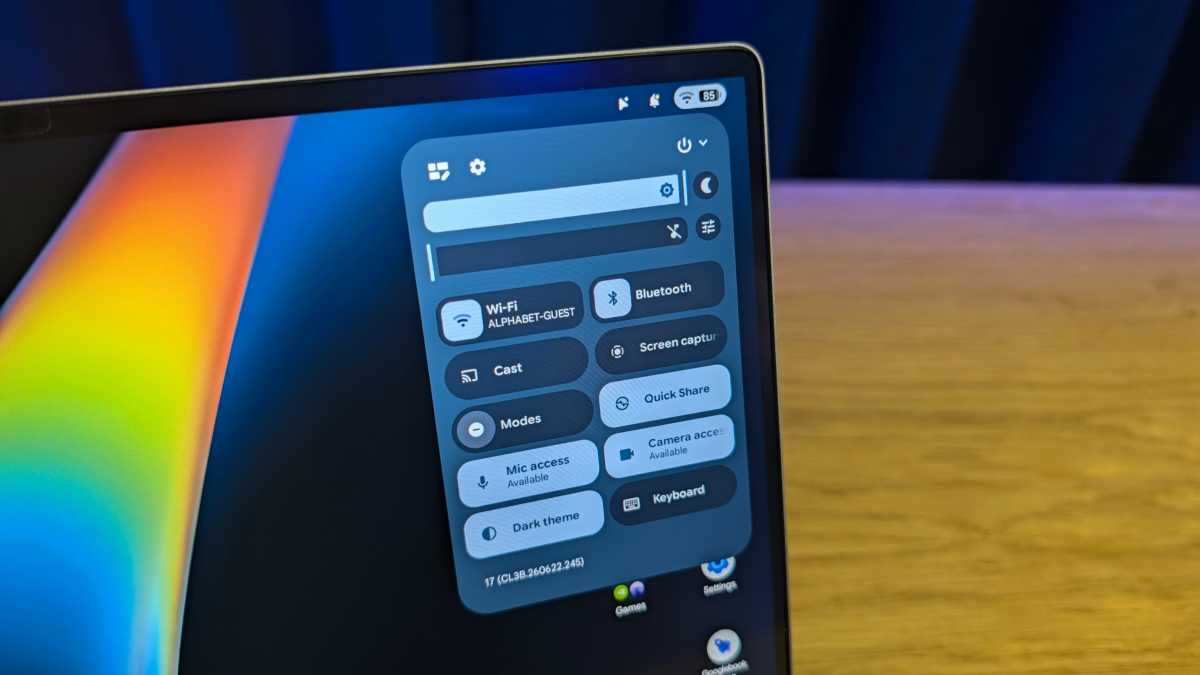
In theory, these will be fully synced on Googlebooks, provided you want them to be. Your Googlebook or phone should therefore serve as a one-stop shop for all the alerts you need to know about.
Anyron Copeman / Foundry
The days of having to constantly check my phone or the Link to Windows connection dropping or failing to connect could be over. And I can’t wait.
5. Next-level mobile gaming
I’d like to preface this by saying that Googlebooks aren’t designed for PC-level gaming, and I doubt they ever will be. But it looks like they’ll get close.
For mobile gaming, every single game on the Play Store will be available to play on Googlebooks – Google says that’s more than 20,000 in total.
I tried Asphalt Legends, complete with a connected Xbox controller, and the fluidity and graphics were both much better than I was expecting. I’m excited to see what else is possible.
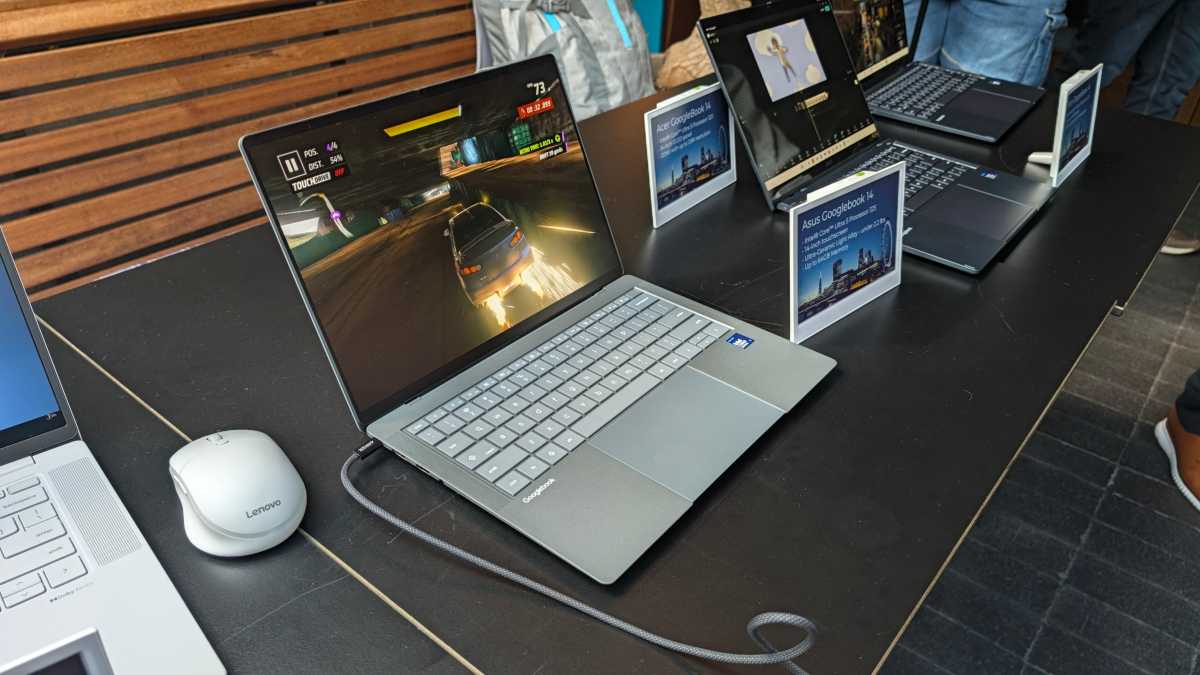
Anyron Copeman / Foundry
However, if you prefer a console-like experience, the Googlebooks are ideally suited for cloud gaming. Every purchase includes a free year of Nvidia’s GeForce Now, with the devices’ premium hardware meaning they should be able to handle games just fine.
Make no mistake, the integration with Android phones is a core part of the Googlebook experience. It looks like Android finally has an ecosystem of its own.
The first wave of Googlebooks – from the likes of Acer, HP, Asus, Lenovo and others – is available to pre-order from today.
from Tech Advisor
via Googlebooks bringing 5 game-changing features to Android users